
Download Recetas Cecotec Mambo – Cecotec Mambo recipes, cooking robot app, recipe book, step-by-step cooking, Android app, recipe organizer, free recipe app, recipe collection, kitchen app, cooking assistant
Overview
Recetas Cecotec Mambo is a dedicated Android application designed to enhance the functionality of the Cecotec Mambo cooking robot. The app serves as a comprehensive digital recipe book, offering users a curated collection of dishes tailored to the capabilities of the cooking robot. It is intended for individuals who own or are considering purchasing the Cecotec Mambo, providing them with a convenient way to access, organize, and execute recipes directly from their mobile device.
The primary purpose of the app is to simplify meal preparation by delivering clear, step-by-step instructions and ingredient lists, ensuring users can maximize their appliance’s potential. Real-world usage scenarios include daily meal planning, weekend cooking sessions, and experimenting with new cuisines. The app supports a wide variety of dishes, from quick weeknight meals to more elaborate recipes, making it suitable for home cooks of all experience levels.
The developer, Cecotec, has focused on delivering a user-friendly experience that complements the physical device. The app is free to download and use, which adds to its accessibility. It is regularly updated to include new recipes and improve usability, reflecting ongoing support from the developer.
Key Features & Capabilities
- Recipe Library – A growing collection of recipes specifically designed for the Cecotec Mambo cooking robot, featuring diverse cuisines and meal types.
- Step-by-Step Instructions – Clear, sequential guidance for each recipe, helping users follow along without confusion.
- Ingredient Lists – Automatically generated ingredient breakdowns for each recipe, aiding in shopping and preparation.
- Favorite Recipes – Users can save preferred recipes to a personalized list for quick access and repeated use.
- Regular Updates – The app receives periodic updates to introduce new recipes and enhance functionality.
- Modern Interface – A sleek, intuitive design that supports smooth navigation and visual appeal.
These features are designed to streamline the cooking process by centralizing recipe management. For example, a user preparing a weeknight dinner can browse the app, select a recipe, review ingredients, and follow the steps directly on their Android device. The ability to save favorites ensures that frequently used meals can be accessed with minimal effort.
The app’s organization allows users to filter or search for recipes by category, cooking time, or dietary preference—though specific filtering options were not detailed. The digital format eliminates the need for physical recipe books, reducing clutter and enabling instant access to a large recipe collection. This integration between the app and the cooking robot enhances the overall user experience by creating a cohesive ecosystem for meal preparation.
User Interface, Workflow & Performance
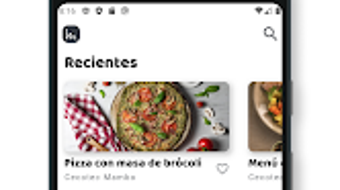
The user interface of Recetas Cecotec Mambo is described as sleek and modern, suggesting a clean layout with intuitive navigation. Users can expect a visual hierarchy that prioritizes readability and ease of access to key features. The workflow is designed around recipe discovery, viewing, and saving, with minimal steps required to start a cooking session.
The app’s performance is based on general Android application behavior, as specific performance metrics were not provided. The developer did not specify resource usage details such as CPU or RAM consumption, so users should anticipate standard mobile app performance. Stability and responsiveness are likely maintained through regular updates, though no official reports on crashes or bugs were shared.
The app’s lightweight nature—12.5 MB in size—suggests it does not impose significant storage demands on Android devices. Users can expect smooth loading times for recipe pages and minimal lag during navigation. The app functions entirely on the device, meaning no internet connection is required once recipes are downloaded or cached.
However, updates may require an active connection. Overall, the workflow supports efficient cooking planning and execution, particularly for users who value organization and digital convenience in the kitchen.
Compatibility & System Requirements
Recetas Cecotec Mambo is designed for Android devices and is available on the Google Play Store. The current version is 2.5.1, released on January 10, 2024. The app has a file size of 12.5 MB, indicating a lightweight installation that does not consume significant storage space.
The developer did not provide detailed system requirements, so users should refer to standard Android compatibility guidelines. This includes devices running Android 6.0 (Marshmallow) or later, though the exact minimum version was not specified. The app is optimized for touchscreen interaction, which is standard for Android applications.
Compatibility with tablets was not confirmed, so users should verify functionality on their specific device. The app does not require additional hardware or software dependencies beyond a compatible Android phone or tablet. Users are advised to ensure their device meets general Android requirements for app installation.
The developer has not disclosed whether the app supports features like dark mode, voice commands, or accessibility settings. The lack of detailed compatibility information means users should rely on their device’s official specifications when assessing suitability.
Pros and Cons
Pros
- Free to download and use, offering excellent value for users of the Cecotec Mambo cooking robot.
- Specifically designed for the Cecotec Mambo, ensuring recipe compatibility and optimized results.
- Modern, intuitive interface that enhances usability and navigation.
- Comprehensive recipe collection with step-by-step instructions and ingredient lists.
- Ability to save favorite recipes for quick access and repeated use.
- Regular updates to expand recipe offerings and improve app functionality.
Cons
- App is limited to Android devices; no version available for iOS or other platforms.
- Exact system requirements were not listed, which may cause uncertainty for some users.
- Compatibility with tablets or larger screens was not confirmed.
- Performance details such as CPU or RAM usage were not provided.
- Limited information on accessibility features or advanced customization options.
FAQ Section
Is Recetas Cecotec Mambo compatible with my Android device?
The app is designed for Android and is available on the Google Play Store. While specific system requirements were not provided, it is recommended to use a device running Android 6.0 or later. Users should check their device’s compatibility with the Google Play Store before installing.
Is the app safe to download and use?
Yes, Recetas Cecotec Mambo is available on the official Google Play Store, which applies security checks to apps before publication. The app is free and does not require access to sensitive personal data, reducing potential privacy risks.
Does the app require an internet connection?
Once recipes are downloaded or cached, the app can be used offline. However, updates and new recipe downloads may require an active internet connection.
Can I use the app without owning a Cecotec Mambo cooking robot?
While the app is designed for the Cecotec Mambo, users without the appliance may still access the recipe content. However, the recipes are optimized for the robot’s specific functions, so results may vary when using alternative cooking methods.
How often is the app updated?
The app is regularly updated to include new recipes and improve functionality. The most recent update was released on January 10, 2024, indicating ongoing developer support.
Final Thoughts + CTA
Recetas Cecotec Mambo stands out as a practical and well-integrated tool for users of the Cecotec Mambo cooking robot. Its focus on delivering a seamless, digital recipe experience—complete with step-by-step guidance, ingredient lists, and a personalized favorites system—makes it an essential companion for anyone looking to maximize their kitchen appliance. The free pricing model, combined with regular updates and a modern interface, enhances its appeal.
While platform limitations and the lack of detailed system requirements may pose minor concerns for some users, the app’s core functionality remains strong and reliable. It is particularly beneficial for home cooks who value organization, convenience, and a streamlined cooking process. For those invested in the Cecotec ecosystem, this app is not just helpful—it’s a must-have.
Download Recetas Cecotec Mambo now to unlock the full potential of your cooking robot.






.png)
